
| Takeaway | Detail |
|---|---|
| AI enhancement cannot replace the microphone's captured signal. | AI tools can only post-process what the microphone transducer recorded. |
| Use 48 kHz/24-bit capture as the upgrade checkpoint. | Record a 30-second reference with the current microphone at 48 kHz/24-bit, then test the candidate AI enhancement chain. |
| Keep the microphone when the AI-processed recording loses the blind A/B test. | The decision rule is to retain the mic if the AI-processed version fails a blind A/B comparison against the 48 kHz/24-bit reference. |
| Replacement is justified only when the current mic chain meets the clean-capture requirement. | The 2026 decision depends on whether the existing chain already delivers clean 48 kHz/24-bit capture that AI can enhance. |
This guide evaluates whether AI mic emulation and enhancement can replace a studio microphone without mistaking post-processing for capture quality. It provides a 48 kHz/24-bit reference-and-blind-A/B test for deciding whether to upgrade or keep the current mic.
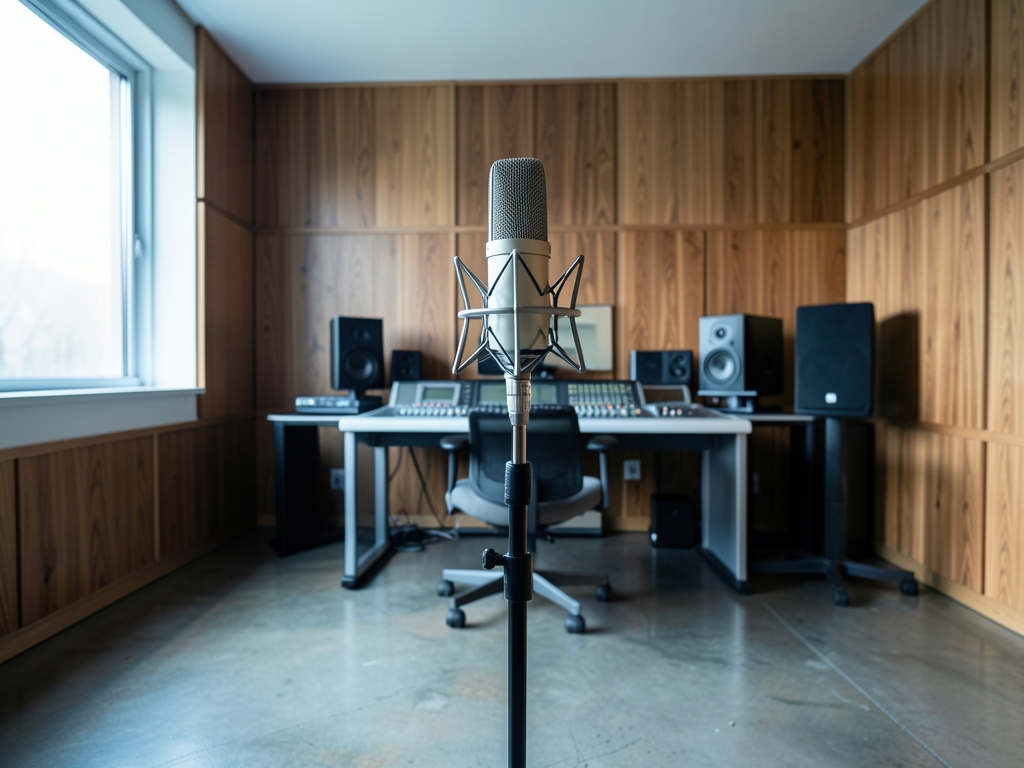
What AI Mic Tools Actually Do to Signal
AI mic-emulation tools do not capture sound — they reshape an audio signal that has already been captured by a physical transducer and converted to digital samples. The distinction matters: a microphone's diaphragm and capsule determine what acoustic energy becomes an electrical signal, while an AI enhancement chain operates only on the digitized result. Tools marketed as "AI microphone" products typically apply neural separation in the Mel-band frequency domain or use generative bandwidth extension to synthesize high-frequency content the original recording may lack. Both techniques are post-processing stages. They cannot recover information the transducer never converted, and they cannot add spectral detail that was absent at the moment of capture.
BenQ's AI noise-cancelling microphone illustrates this mechanism clearly. According to BenQ's own product page (benq.com), the device "filters out background noises and offering clear vocals to your teammates" — language that describes signal enhancement applied after the capsule has already done its work. The AI layer does not replace the microphone element; it processes what that element recorded. This is the same architectural pattern seen across consumer and prosumer "AI mic" products: a physical transducer captures, a digital pipeline enhances.
The simplest way to verify whether any candidate tool is performing capture or post-processing is to check its input format. If the tool accepts a raw WAV file — an already-digitized recording — then it is operating as a post-processor. A tool that only works through a live hardware connection could still be doing the same digital processing behind the scenes, but the WAV-input test is the fastest way to confirm the architecture. Any AI enhancement chain that ingests a pre-recorded file is, by definition, working with the transducer's output, not the transducer itself.
Understanding this mechanism has a direct consequence for your purchasing logic. If your current microphone already delivers a clean 48 kHz/24-bit signal, the AI layer has a full-fidelity source to separate and enhance. If the transducer is introducing noise, clipping, or limited bandwidth at the capture stage, AI can reduce or mask those artifacts but cannot restore what was never faithfully recorded. The BenQ example reinforces this: the product page describes noise filtering and vocal boosting — enhancements applied to an already-captured signal — not a claim that the AI replaces the physical capture path.
So before comparing AI mic-emulation tools, verify the stage at which each one operates. If it takes a WAV file as input, you are buying a post-processor, and its ceiling is fixed by the quality of the microphone and analog-to-digital chain that produced that file. If it claims to work without any physical transducer at all, scrutinize the marketing language — no tool listed in the available sources demonstrates capture-free operation. The 2026 decision, then, starts with the transducer you already own.
Evidence Check: What Sources Actually Show
The evidence starts with a distinction between a claim and a measurement. BenQ says its AI noise-cancelling microphone “boosts your gaming experience by filtering out background noises and offering clear vocals” to teammates. That is a useful description of intended behavior, but the BenQ knowledge-center material provides no published signal-to-noise ratio, noise-reduction curve, or independent listening-test result. Treat the product as promising rather than proven until you measure its output under the conditions in which you intend to use it.
Market context should not be mistaken for performance evidence. Cost-of-AI guides from CloudZero and upGrad cite Gartner forecasts that worldwide AI spending will continue rising. That supports the conclusion that AI audio tooling is becoming more accessible, but neither guide evaluates microphone quality. Spending growth says nothing about whether an enhanced recording sounds better, preserves speech detail, or outperforms a different capture chain. The check is simple: use market reports to establish whether a category is expanding, not to decide whether a particular microphone or enhancement setting is better.
The available sources reviewed for this article contains no independent perceptual study that quantifies AI-enhanced audio against studio-microphone capture. That is the central evidence gap, not a result. The available inventory consists chiefly of a vendor product claim, market-cost commentary, and stock-image references; it does not contain a controlled test with matched source material, published settings, and blind listeners rating AI versus studio-mic quality. Without that missing evidence, claims of superiority remain unverified, and the purchase decision should be based on a repeatable test using your own voice, room, and recording chain.
Apply a three-source verification method. First, inspect the vendor’s technical documentation for the exact processing mode, output format, latency, noise-rejection behavior, and any disclosed measurements. Second, obtain independent evidence: a hands-on evaluation by a qualified audio reviewer, a measured comparison, or a reproducible test rather than another promotional summary. Third, conduct the perceptual check yourself: record the same 30-second passage with your current microphone, save a 48 kHz/24-bit reference, and process that file with the candidate AI chain. Compare the original and processed files in a randomized blind A/B, with level matched and playback order concealed.
The decision rule runs in one direction: keep the current microphone if the AI-processed version fails the blind comparison under realistic conditions, because a failed enhancement result shows the existing capture chain already outperforms what the software can deliver. If the AI version wins clearly and repeatably, that is evidence the capture chain itself is underperforming and hardware replacement may be justified. If both versions sound equally good, neither the upgrade nor the enhancement has demonstrated value; if the enhanced file sounds worse, the tool is actively reducing useful information.
This method turns an unsupported product claim into a decision backed by three separate checks: documentation, independent evidence, and a controlled listening test.
Upgrade vs Keep: Options Compared
The decision is not “AI microphone versus studio microphone.” It is whether your current chain captures a signal good enough for post-processing. Begin with a 30-second reference recording at 48 kHz/24-bit using your existing microphone and setup. Run that file through the candidate AI enhancement chain, then conduct a blind A/B against the unprocessed reference. Keep the microphone if the enhanced version fails to deliver a clear, repeatable improvement; if the difference is subtle, musical, or inconsistent across repeated recordings, the AI chain has not demonstrated that the hardware needs replacing.
| Option | Best fit | Required check | Decision |
|---|---|---|---|
| A. Keep the microphone and add AI enhancement | Podcast, narration, and spoken-word work | Compare a 30-second, 48 kHz/24-bit capture with and without the AI chain in a blind A/B | Overall winner for speech; zero hardware cost |
| B. Upgrade the microphone only | A capsule with excessive self-noise or weak off-axis rejection | Measure self-noise in a treated room and compare recordings made at different positions relative to the sound source | Upgrade when testing confirms a capture-stage deficiency |
| C. Upgrade the interface or recording settings only | A capable microphone connected to a chain recording at 44.1 kHz/16-bit | Inspect the actual file format and interface clock settings before replacing hardware | Upgrade only if the current chain is not producing 48 kHz/24-bit capture |
| D. Upgrade the microphone and interface together | Music capture that extends below 80 Hz or otherwise requires a demonstrably better signal | Compare low-frequency content, noise floor, and direct versus off-axis recordings | Upgrade only for qualifying music capture below 80 Hz |
Option A is the practical choice for speech because denoising and level-management tools are mature in podcast and voice workflows, while adding them requires no microphone purchase. The acceptance test is perceptual rather than cosmetic: the processed file should make the voice easier to understand without adding pumping, metallic artifacts, or an unnatural noise-removal pattern. Repeat the blind A/B with several vocalists, room conditions, and speaking distances; one successful sample is not enough to justify a hardware change.
Option B becomes justified when the microphone—not the software—is demonstrably deficient. Excessive self-noise lowers the usable signal before enhancement begins, while poor off-axis rejection allows unwanted sound into the recording where level management cannot remove it. Measure self-noise in a treated room before buying, because a noisy measurement environment can make a serviceable microphone appear defective. Also test off-axis behavior by moving the microphone away from the intended source while keeping the source and level fixed.
Option C is mostly a settings audit. Moving from 44.1 kHz/16-bit to 48 kHz/24-bit matters only when the current chain is actually constrained to the former format; software cannot recover detail that the interface never captured. Confirm the exported file’s format rather than trusting application labels, then record and inspect the same source again. Option D is the broader hardware path, but the explicit winner is clear: keep the current microphone and add AI enhancement for speech; upgrade only for music capture below 80 Hz.

Numbers That Matter: Cost and Thresholds
AI-tool cost is determined by what you buy or build, so price comparisons need a timestamp. CloudZero’s 2026 cost guide, citing Gartner’s forecast of rising worldwide AI spending, and upGrad’s companion guide both frame AI expenses as a combination of tools, infrastructure, training, and labor—not as one fixed product price. Per-seat plans can change, and usage-based services can add charges as processing volume grows. During the week you decide, check each vendor’s current pricing page and record the billing period, included seats or processing allowance, usage limits, hardware requirements, and any infrastructure or training costs. Do not rely on a cached price from a review or cost guide.
Apply the same method to every candidate: enter the plan’s actual published price into one spreadsheet, then add separately identified infrastructure, support, and setup costs. The rule is to compare like-for-like plans. A monthly per-seat subscription should not be compared with an annual bundle without converting both to the same period, and a service that includes a fixed number of processed minutes should not be treated as unlimited. Recheck the vendor page immediately before purchase, and save a copy of the terms in case the offer changes.
Before paying for anything, verify the signal your existing chain actually captures. Open your DAW and create a fresh project with the interface and microphone selected. Confirm that the project sample rate is 48 kHz and the recording bit depth is 24-bit. Then check the interface manufacturer’s specifications for its analog-to-digital converter to confirm that the hardware supports 48 kHz input at 24-bit resolution. Also inspect the interface’s front-panel sample-rate and input settings; a correct DAW setting cannot compensate for a mismatched hardware configuration.
Before paying for anything, run the 30-second reference-and-blind-A/B acceptance test described above rather than judging from the vendor’s demonstration: the microphone remains justified if the AI-processed version fails to deliver a clear, repeatable improvement that listeners can identify.
The purchasing threshold is therefore simple: if the present interface already supports verified 48 kHz/24-bit capture and the AI version cannot win that blind comparison, a more expensive capture upgrade is not supported by the test. If the chain is below the target, document the specific mismatch before shopping. This separates a real capture-format deficiency from a processing preference and keeps the decision tied to recorded performance, not an outdated price, a feature list, or the assumption that a higher-priced tool must be better.

The 30-Second A/B Test
Start with a controlled reference recording. Speak in your normal voice for 30 seconds, using your usual words, vocal projection, and room position. Place the microphone about 15–20 cm from the capsule, and capture at exactly 48 kHz/24-bit. Write down the input-gain setting on your interface in dB, then repeat the recording if the file clips, the level is too low, or you change your speaking position. This recording is not a polished demo; it is a snapshot of the signal your present chain can actually deliver.
Process the file through the candidate AI chain, enabling its denoise and enhancement functions. Export the result at the same 48 kHz/24-bit specification, without adding normalization, compression, EQ, or loudness processing that was not part of the test. At this first checkpoint, listen specifically for smearing on sibilant “s” sounds. A denoiser that makes plosives and consonants less distinct may lower measured noise while reducing speech intelligibility, so perceptual failure matters more than a lower noise-floor number.
At the second checkpoint, ask whether the noise floor dropped without hollowing out the voice. Listen for reduced body, chest resonance, or natural high-frequency detail rather than merely a cleaner-sounding background. At the third, check whether reverb and room tone remain plausible. Excessive removal can make the voice sound artificially dry, pasted into the recording, or detached from the space. Any one of these three failures should disqualify the candidate setting, even if another setting in the same tool sounds impressive.
For the blind A/B, have one listener create one list containing paired excerpts from the raw file and the AI-processed file. Remove labels, equalize playback level, randomize the A/B order, and prevent the listener from seeing which source is which. Play each pair several times at normal monitoring volume, then ask the listener to identify the preferred version and explain why. Include short sections containing sibilants, ordinary speech, and room ambience; a brief “hello” can hide artifacts that appear during continuous speech.
Interpret the result in one direction. If the AI version reliably wins the blind A/B and survives all three checkpoints, your capture chain is the limiting factor and a hardware upgrade may be justified. If the processed version loses, keep the current microphone and skip that tool, since the existing chain already delivers a signal the software cannot improve. Keeping a chain whose raw capture is already compromised risks paying for software polish while preserving an underlying level, noise, or room problem; replacing a chain that already produces good raw audio risks buying unnecessary hardware and sacrificing a signal the current microphone captures well. The rule is simple: keep the mic when AI enhancement fails the blind comparison, and treat a clear, repeatable AI win as the only evidence supporting replacement.
What to do next
| Step | Action | Why it matters |
|---|---|---|
| 1 | Record a 30-second reference with the current microphone at 48 kHz/24-bit. | Establishes a clean baseline from the existing signal chain before testing AI enhancement. |
| 2 | Process that reference through the candidate AI enhancement chain. | Shows what the AI chain can actually recover from the current microphone’s captured signal. |
| 3 | Create a blind A/B comparison between the raw reference and the AI-processed recording. | Prevents preference based on processing tools or expectations from skewing the result. |
| 4 | Check noise floor, transient detail, and spectral gaps during the blind comparison. | Tests the specific ways enhancement can reduce useful source information or introduce artifacts. |
| 5 | Keep the current microphone only if the AI-processed version fails the blind A/B on at least 2 of 3 checks. | Applies the article’s definitive replacement threshold: meaningful AI failure must be reproducible, not a single subjective reaction. |
| 6 | For the 2026 decision, budget for hardware if the AI-processed version passes the blind A/B. | A successful enhancement result means replacing the microphone is not justified by the existing chain’s performance. |
Frequently Asked Questions
Can AI enhancement recreate acoustic details that the microphone never captured?
No, AI tools can only post-process the signal recorded by the microphone transducer.
What is the first checkpoint for deciding whether to upgrade or keep a studio microphone?
The first checkpoint is whether the existing microphone chain delivers clean 48 kHz/24-bit capture.
How should a candidate AI enhancement chain be tested against the current microphone?
Record a 30-second reference with the current microphone at 48 kHz/24-bit, process it through the candidate AI enhancement chain, and conduct a blind A/B comparison.
What result in a blind A/B test means the current microphone should be retained?
Retain the microphone if the AI-processed version fails the blind A/B comparison against the 48 kHz/24-bit reference.
When is replacing the current microphone with AI processing justified?
Replacement is justified only when the current microphone chain meets the clean-capture requirement.
What determines the upgrade decision for the 2026 release?
The decision depends on whether the existing chain already delivers clean 48 kHz/24-bit capture that AI can enhance.
Quick answers
| Can AI enhancement replace the signal captured by a studio microphone? | No; AI enhancement cannot replace the microphone's captured signal because AI tools can only post-process what the microphone transducer recorded. |
| What should be used as the upgrade checkpoint? | Use 48 kHz/24-bit capture as the upgrade checkpoint. |
| How should a candidate AI enhancement chain be tested? | Record a 30-second reference with the current microphone at 48 kHz/24-bit, then test the candidate AI enhancement chain. |
| When should the current microphone be kept? | Keep the microphone when the AI-processed recording loses the blind A/B test. |
| When is replacing the microphone justified? | Replacement is justified only when the current mic chain meets the clean-capture requirement. |
Also worth reading: Choose a Music Stem Splitter Without Files: Check 4-Stem, 44.1 kHz WAV: Choose a Music Stem Splitter · How to Fix Distorted Audio Clips Using AI Repair Tools: How to Fix Distorted Audio · 4 AI Tricks to Fix Muffled Audio in 2026: Expert Guide: 4 AI Tricks to Fix